AJAX and XHR - A Quick History
Mar 22, 2026This is the first of what should become a short series of posts based around a presentation I gave in June 2025 as part of the graduate scheme at Pinewood.AI.
Many of the defining features of today’s internet are powered by a set of techniques and ideas known as AJAX, something the vast majority of people using them daily haven’t heard of. Even many web developers may use these techniques without necessarily being able to put a name to it. In fact, AJAX has become so fundamental to UX and web design practices that it’s hard to find a modern website that does not rely on it in some form.
So what are AJAX and XHR?
AJAX means Asynchronous JavaScript and XML. AJAX isn’t a specific framework or package; instead, it refers to a set of web development techniques using various technologies on the client side to create dynamic features in web applications. The aim of AJAX is to allow the page to seamlessly communicate with a server without reloading the entire page.
The other term, XHR, means XMLHttpRequest. This is a specific JavaScript API that allows the browser to make an HTTP request and handle its response without rendering an entire new HTML document. And this isn’t just limited to fetching data, we can also use other kinds of HTTP requests (such as POST or PUT) to handle other actions without the need to submit an HTML form and reload the page.
Note that in both definitions I’ve mentioned XML (Extensible Markup Language), a markup language used to represent and transmit structured data. Neither AJAX nor XHR, despite their naming, necessarily needs to use XML. In practice, JSON tends to be a far more popular choice in AJAX web apps. The XML in their names is just a leftover from a time when XML was a far more popular option.
A history of AJAX programming
In the earliest days of the internet, web pages were static HTML documents composed of just formatted text, images, hyperlinks, and basic form elements. User interaction consisted of posting back a form and the server sending a complete new document to re-render, no matter how small a change being made. Data rates were slow (averaging around 15-30 kilobits per second), and this led to bandwidth being a major limiting factor on performance.
 A 1995 Amazon.com, courtesy of webdesignmuseum.org . The site used basic CSS but had none of the interactive features we take for granted today.
The first step towards an interactive internet came in 1995, when Netscape introduced a feature known as LiveScript (which would later become JavaScript), allowing the inclusion of small scripts that allowed pages to continue doing things after they’ve been downloaded. Now, you could click on some component of the page which could alter the layout or content, however this is limited to just the information included in that initial request. Any kind of interaction involving sending or receiving data still requires a new HTML document.
Just a year later, Netscape would introduce another step forwards, Frames and specifically the <iframe> element. Frames allow for part of a web page to display content independent of the main page, kind of like a site within a site that can be scrolled while the container page remains stationary. A lot of early websites used a frame at the top to display a banner and navigation bar that could not be scrolled away (and in turn, lowering bandwidth). Developers quickly learned that this could be leveraged to asynchronously fetch some remote data without a page refresh. Frames came with many pitfalls and are largely obsolete in the modern internet, but the (inline frame) still finds some usage.
But the real progress came in 1998, when a team at Microsoft working on Outlook Web Access developed XMLHTTP , a dedicated ActiveX control allowing JavaScript to communicate directly with a server. At this time, there was another team at Microsoft developing the standard for XML, and in an attempt to get this shipped along with Internet Explorer 5, XMLHTTP was included in a release of their MSXML library (explaining how XHR picked up the XML in its name, despite not being fundamentally tied to it in any way).
Over the next few years, other browsers started to include support for XMLHTTP. It was around this time that another implementation of the same idea was introduced – the JavaScript XMLHttpRequest object that is widely used today. XHR gradually began to find use as developers began to realise the potential it had when used alongside JavaScript, and clever manipulation of HTML elements and the DOM.
But this style of web development truly took off in 2004, when Google released a series of web apps that truly showcased its power. The first big example was Gmail, which used XHR to periodically ask the server if any new email has been received, and if it has, update the page to include it in the inbox without the need for a refresh. Another was Google Suggest, a feature added to Google Search which displays auto-complete suggestions below a search box as a user enters a search term.
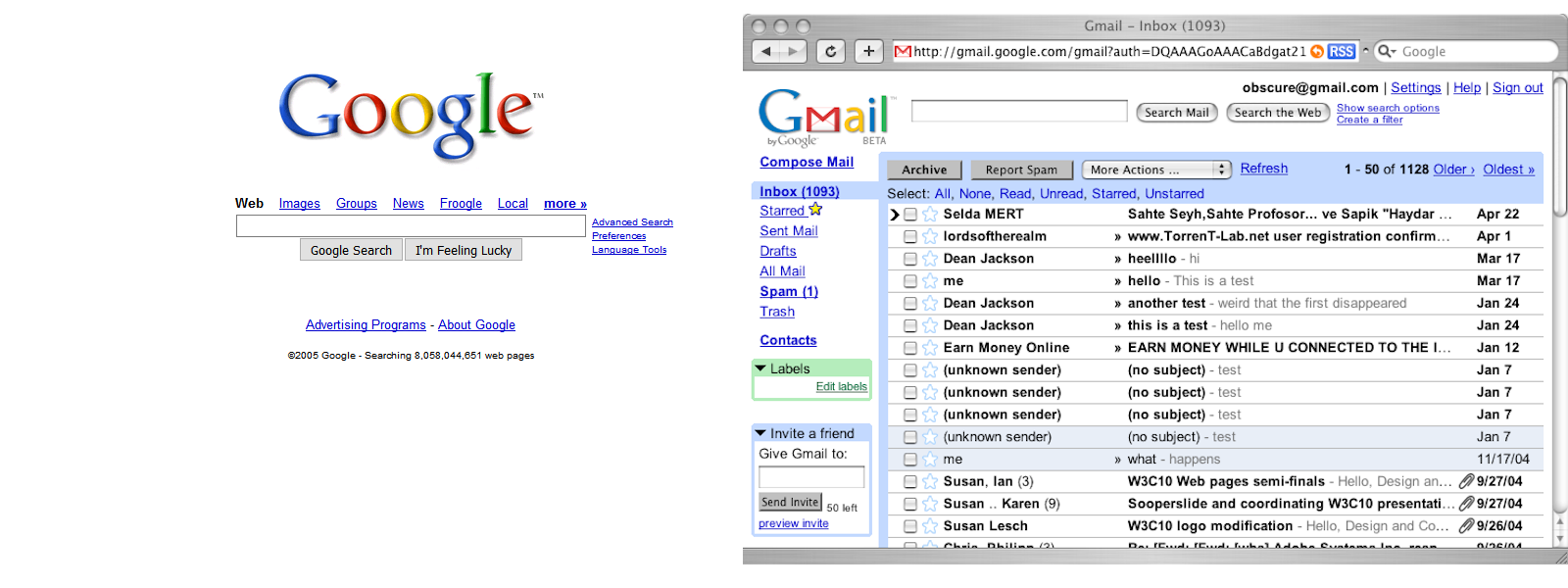 Google Search and Gmail in 2005. Both leveraged AJAX heavily, using XHR to deliver faster, more interactive experiences.
The term AJAX was finally coined in 2005 by Jesse James Garrett , putting a name to the set of techniques developers had started to utilise over the past few years (as “AJAX” proved a lot easier to say than “Asynchronous JavaScript+CSS+DOM+XMLHttpRequest” when speaking to clients). The post gives an overview of how all the elements that make up AJAX come together to provide a web experience akin to a desktop application, while acknowledging that there’s no “new” technology here, just a new way of thinking – one that would go on to define modern web design.
Coming soon: an in-depth look at AJAX, XHR, Fetch, and Cross-Origin Resource Sharing.